Time in.
Costs on the right program.
Reports ready.
Set each person's usual split once. Each week they confirm it, and the cost lands on the right program.
14-day free trial. No card. Watch the 93-second video
See Programs in action
A 93-second look at how time lands on the right program.
MOST PROGRAM COSTS ARE
Hard to place until the report is due.
Set each person's usual split across programs once, and it has to add up to 100%. Each week, staff confirm it or change a day. When the week is approved, the cost lands on the right program.
USUAL SPLIT
Set it once. It has to add up to 100%.
EARLY FLAGS
Each grant shows spent against time elapsed, in green, yellow, or red.
How it works
Time in. Costs on the right program. Reports ready.
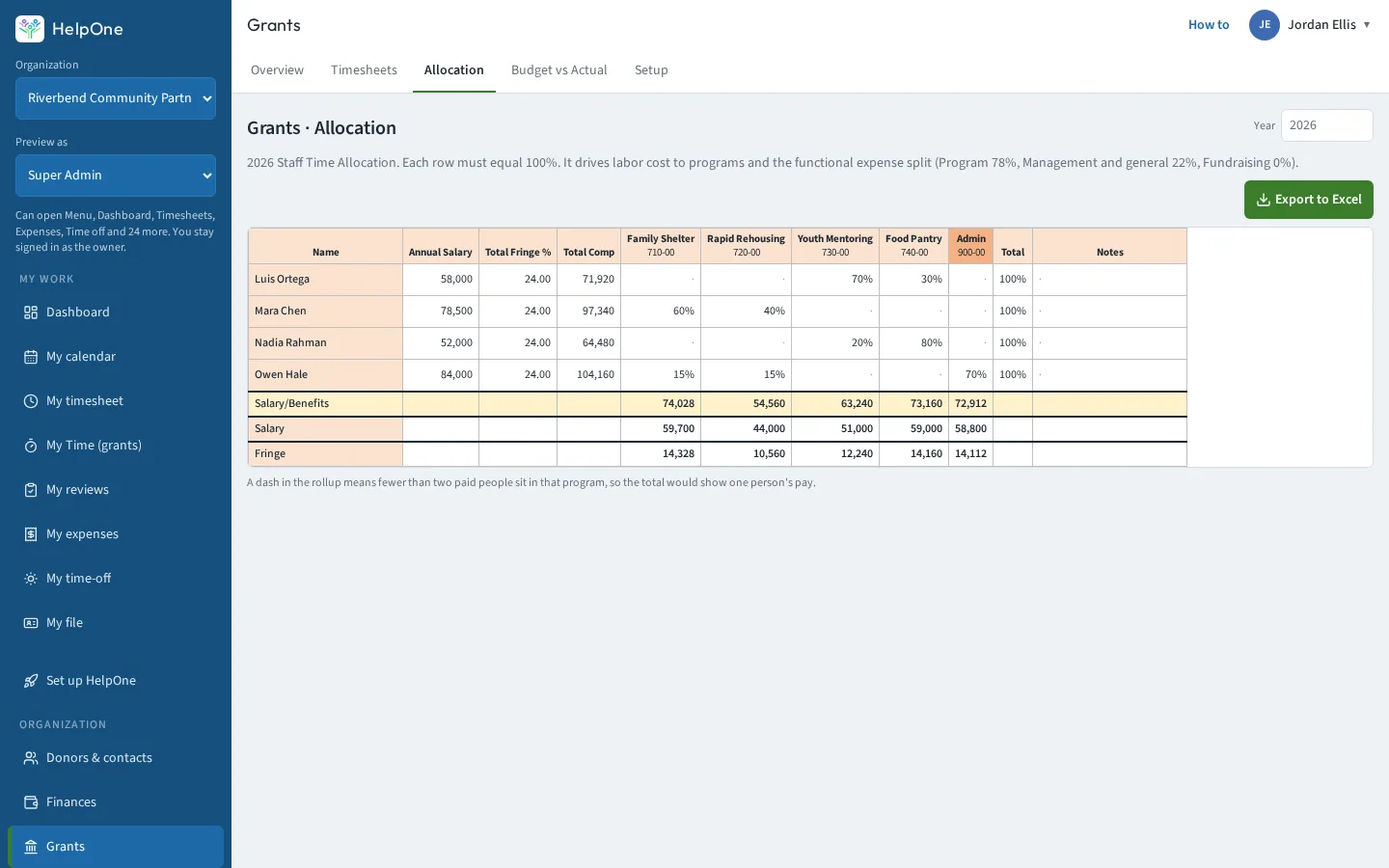
Set the usual split once
Set each person's usual split across programs once, and it has to add up to 100%.
Confirm it each week
Each week, staff confirm it or change a day.
Grant money, match, or your own funds
Time can be charged to grant money, match, or your own funds. When the week is approved, the cost lands on the right program.
Signed, approved, ready in Excel
Staff sign their timesheets, a supervisor approves, and the report is ready in Excel.
Timesheets in HR Solutions →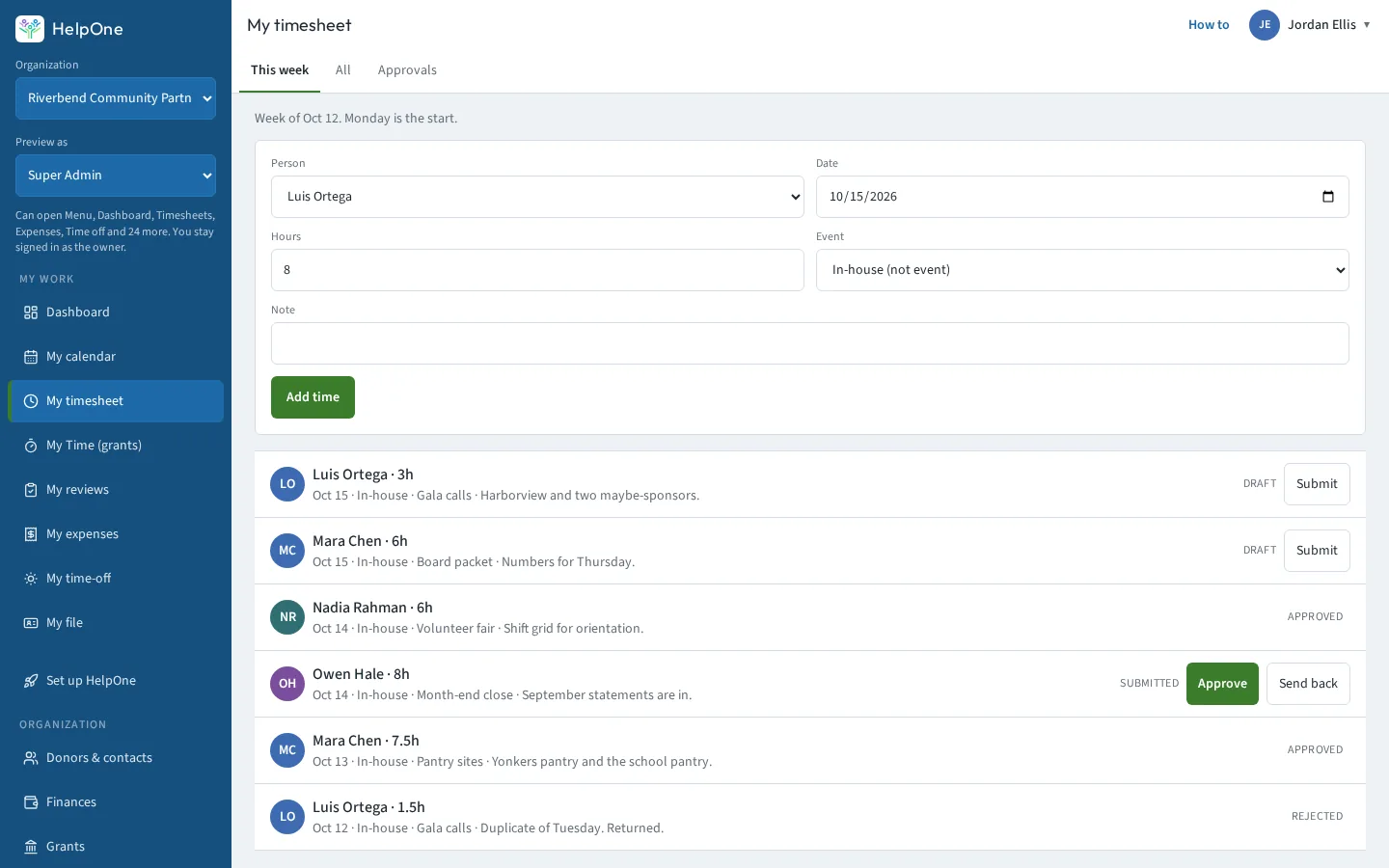
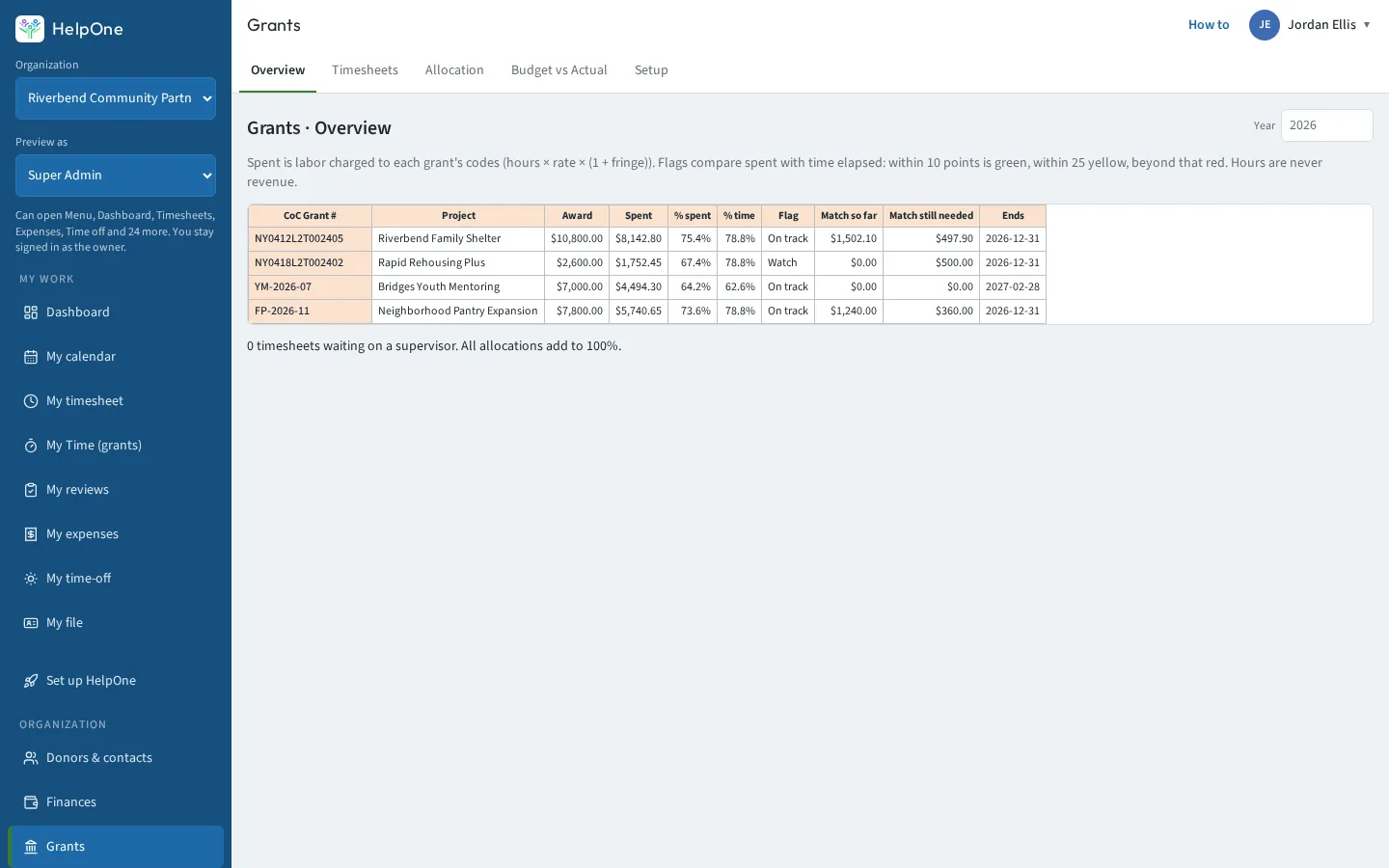
Green, yellow, or red
Each grant shows spent against time elapsed, in green, yellow, or red, so you can see over- and under-runs early.
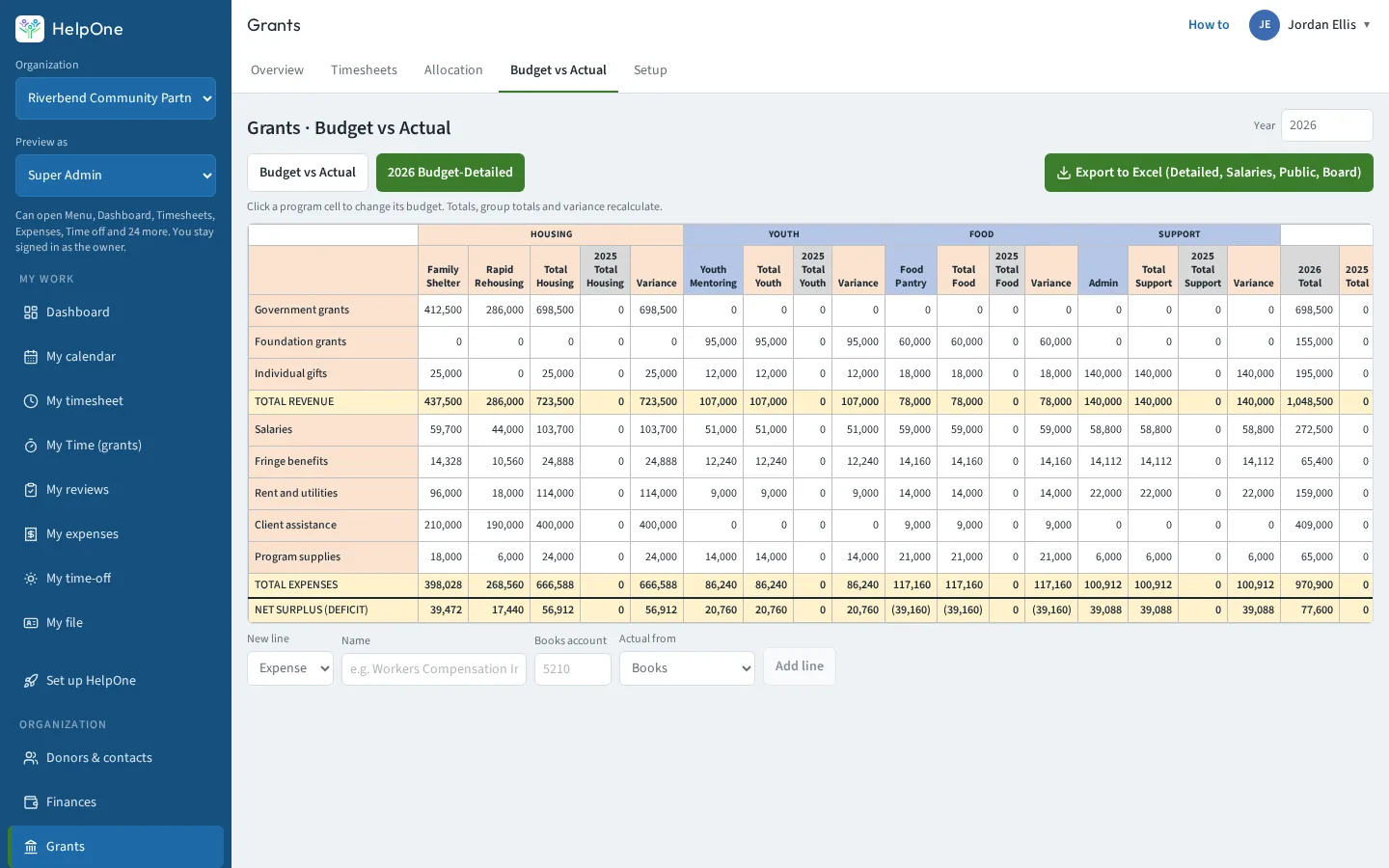
Programs
Time in. Costs on the right program.
- Set each person's usual split across programs once, and it has to add up to 100%.
- Each week, staff confirm it or change a day. Time can be charged to grant money, match, or your own funds.
- When the week is approved, the cost lands on the right program. Staff sign their timesheets, a supervisor approves, and the report is ready in Excel.
A page for each module
More detail, more screenshots. All of it is in the one plan.
- Volunteer ManagementSign-ups, shifts, check-in and approved hours.→
- Event ManagementRSVPs, tickets, schedules and event P&L.→
- FundraisingGifts, pledges, auctions and sponsorships.→
- Donors & ContactsOne record per person, with giving and follow-ups.→
- ParticipantsThe people you serve, in one list.→
- FinancesFund balances, statements and year-end reports.→
- ProgramsUsual splits, weekly timesheets, and grant reports.→
- HR SolutionsOnboarding, e-sign, reviews and time off.→
- Policies & ProceduresPolicy books, approvals and signed copies.→
- Training TrackingWho has finished which training, and who is due.→
- Board ManagementMeetings, votes, documents and conflict-of-interest forms.→
- IT & OperationsEquipment, software, purchase orders and grant budgets.→
- My HelpOneEach person's own timesheets, expenses and calendar.→
Even if you don't need every module today,
you're still ready for tomorrow.
Start with only what you need. Simply hide the rest – they disappear from your dashboard.
One plan. Every module.
Try every module free for 14 days
or $2,990/year (two months free)
Choose yearly at checkout or when your trial ends.
No contracts. Cancel anytime in two clicks, and take your data with you.
14-day free trial. No card. When it ends, everything is saved and read-only until you choose a plan.