All-in-one nonprofit software
Everything your nonprofit runs on, in one login
Each part of HelpOne starts with a problem you know, then shows what it does about it. Every module is in the one plan.
Volunteers
“I spend my week texting volunteers and fixing the spreadsheet.”
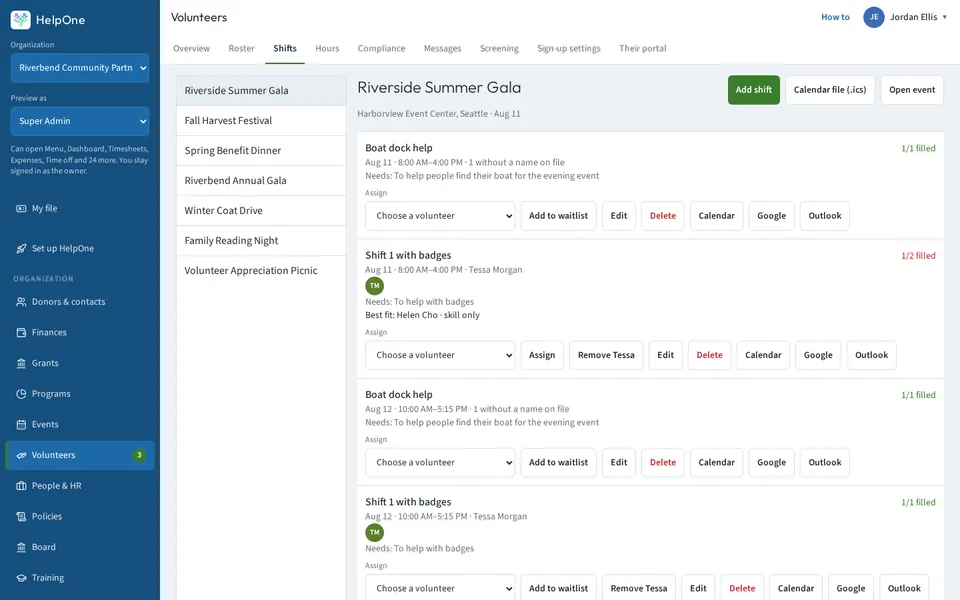
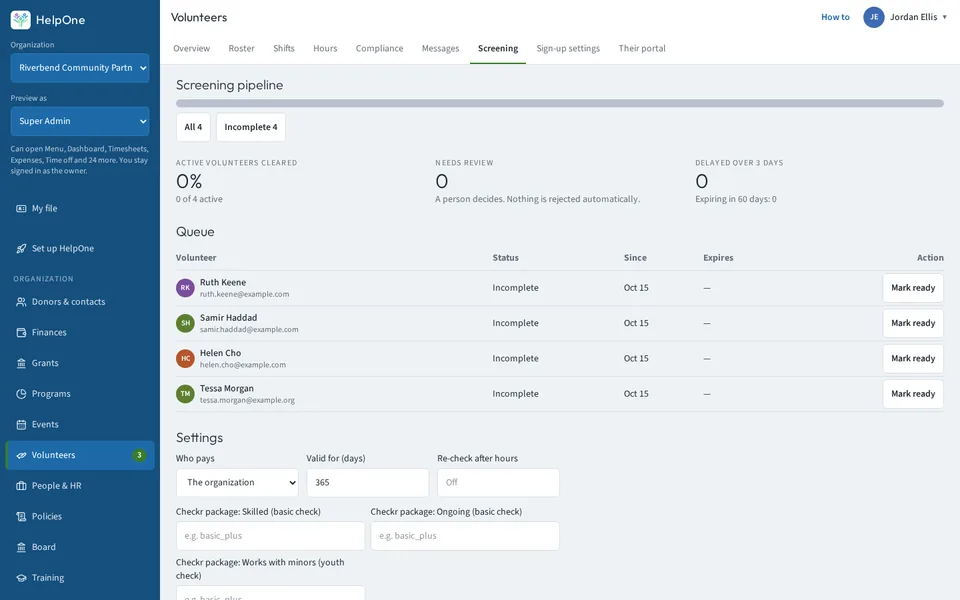
- Volunteers sign up online in three steps: emergency contact, a guardian OK for minors, availability, a waiver and your own questions.
- They find open shifts, claim them and check in themselves, with a QR card or a printable kiosk.
- Each shift lists the skills it needs and shows which volunteers have them. Waitlists fill open spots on their own.
- Approve hours or send them back with a reason. Only approved hours count toward your 990.
People & HR
“Every new hire means chasing paperwork and signatures.”
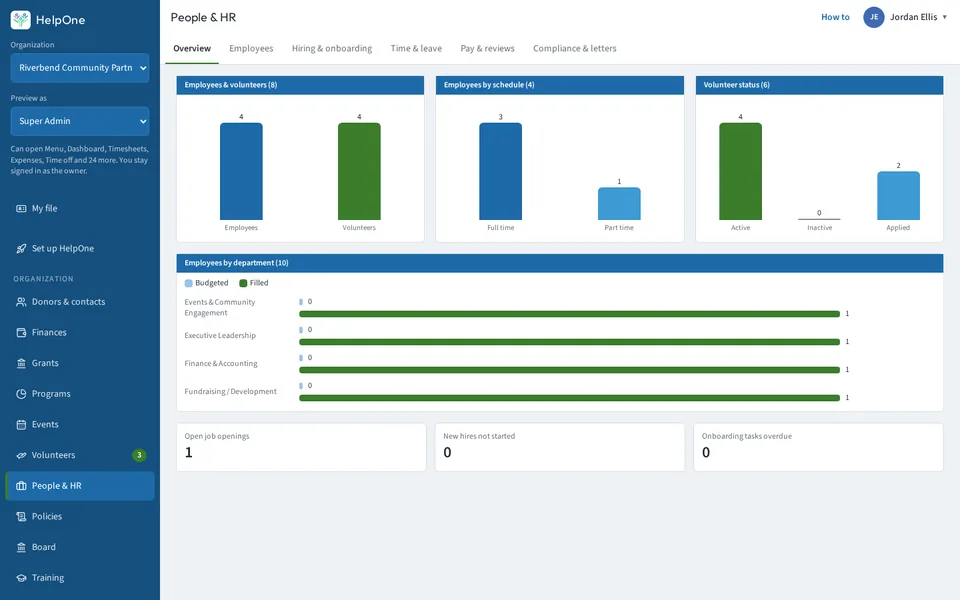
- Mark the documents a new hire must sign. HelpOne sends one email, one reminder, then every signed copy.
- E-sign is built in, with a stamped PDF and an audit page.
- Manager reviews follow the self review, and every review downloads as a PDF.
- Everyone sees their own time-off balance. Only HR, a person's manager and the person can see pay.
- Fair-chance hiring steps are built in.
Timesheets & expenses
“Timesheets and receipts come in by email, and someone has to chase every one.”
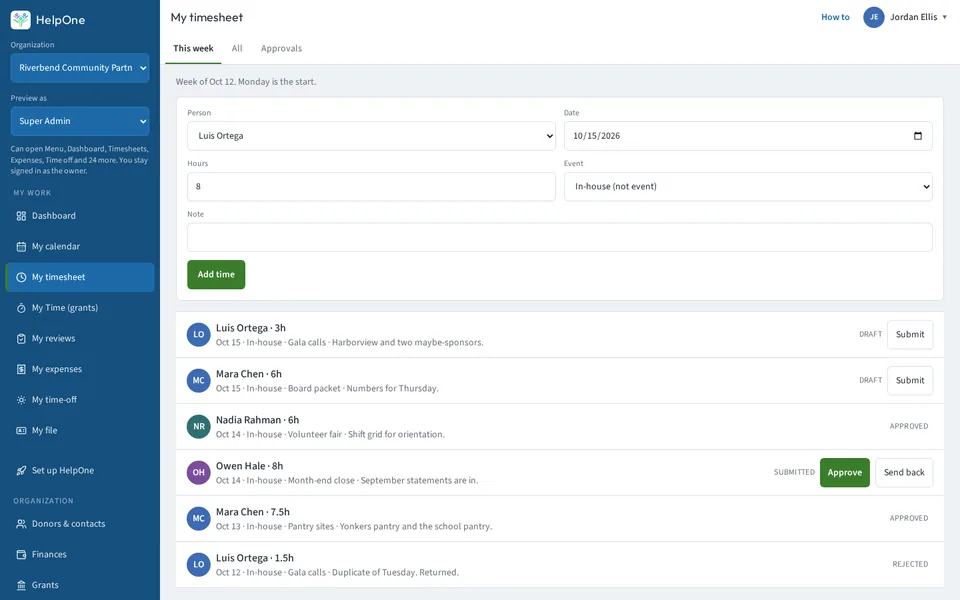
- Timesheets are created for you each period.
- Pick an event or in-house work, and labor cost rolls up under the event.
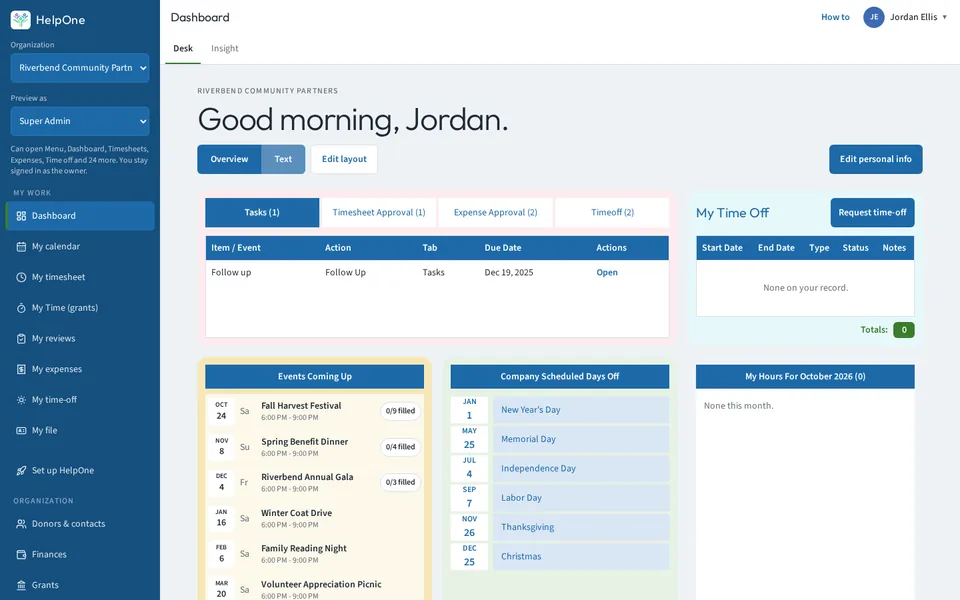
- Timesheets, expenses and time off wait in approval queues on your dashboard.
- Every expense decision records who decided, and why it was sent back.
- Approved timesheets go to the payroll contact you name.
Training
“Nobody knows who's finished which training until someone asks.”
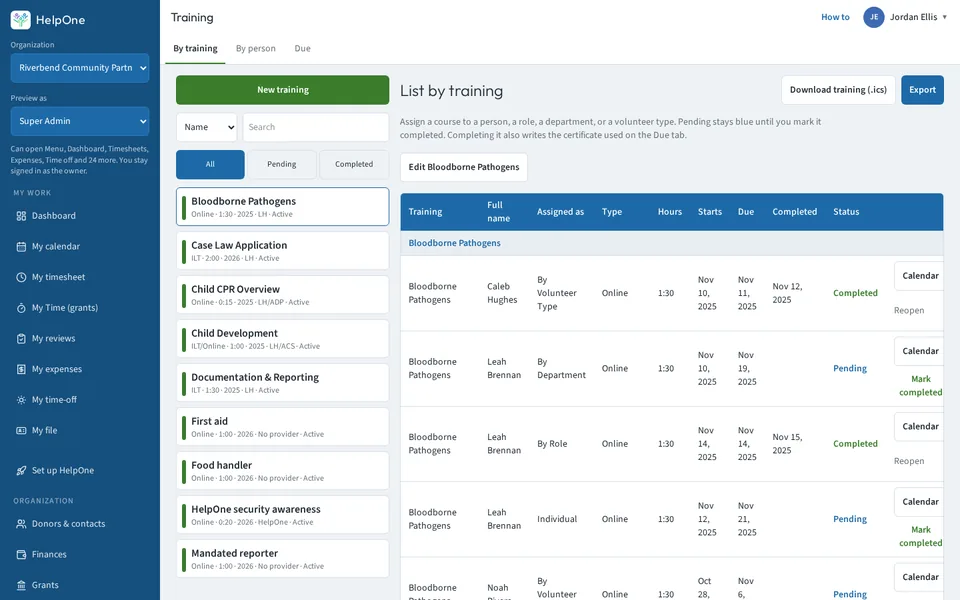
- See who has finished each training and who is still due.
- Upload a completion certificate, PDF or photo, for each person.
- Supervisors are linked to real staff records and show on reports and exports.
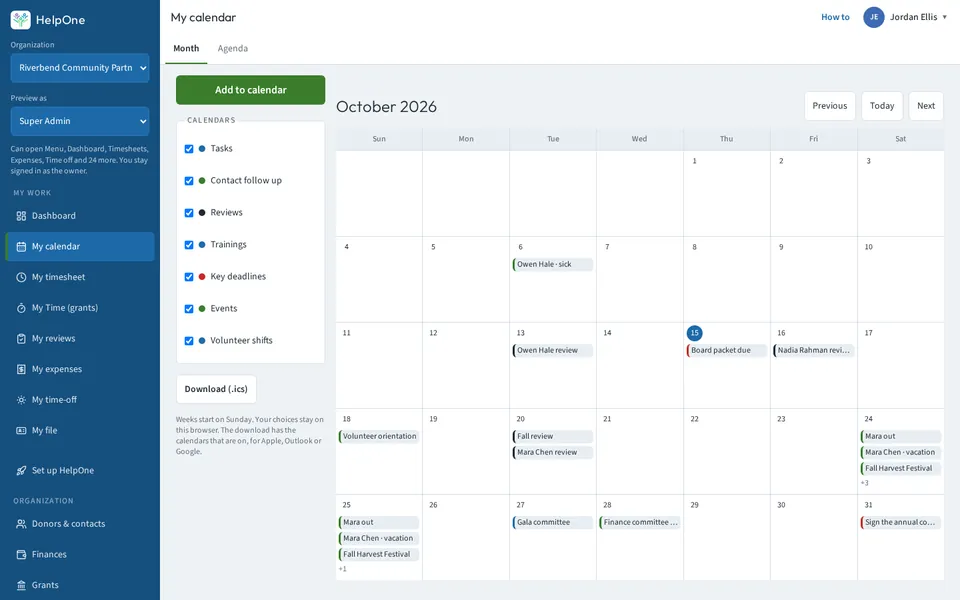
- Trainings show on the calendar, and overdue ones are flagged.
Calendar
“Events, trainings and deadlines live on five different calendars.”
- One calendar with layers you switch on and off: events, trainings, background checks, filing deadlines and holidays.
- Click an entry to jump to the volunteer, the staff file or the training.
- Overdue and expired items are labelled plainly.
- Holidays repeat, and next year's dates are one click away.
Donors & contacts
“The same person is in three systems, and none of them has the full story.”
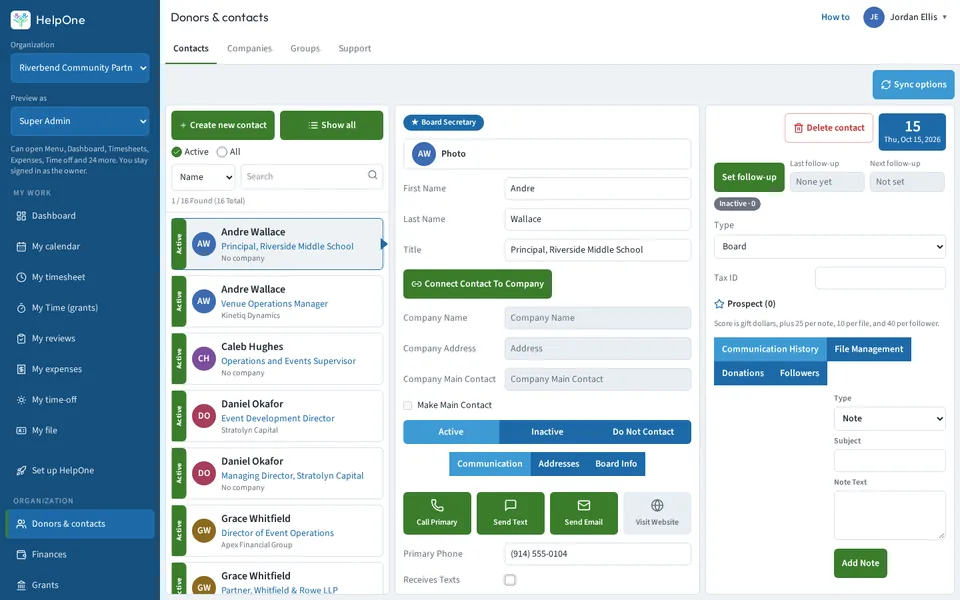
- One person, one record: volunteers, staff and board members link to a single contact, with their giving and hours together.
- Merge duplicates with one button. A contact with giving history can't be deleted.
- Notes and a clear next follow-up date on every contact.
- An engagement badge on each contact shows who keeps coming back.
- Your groups sync to Mailchimp as tags.
Events
“Registration is in one tool, money in another, and the guest list in a spreadsheet.”
- Free RSVPs on one screen, with an instant confirmation, a QR code, an add-to-calendar link and a share link.
- A short link and QR code your staff can hand out.
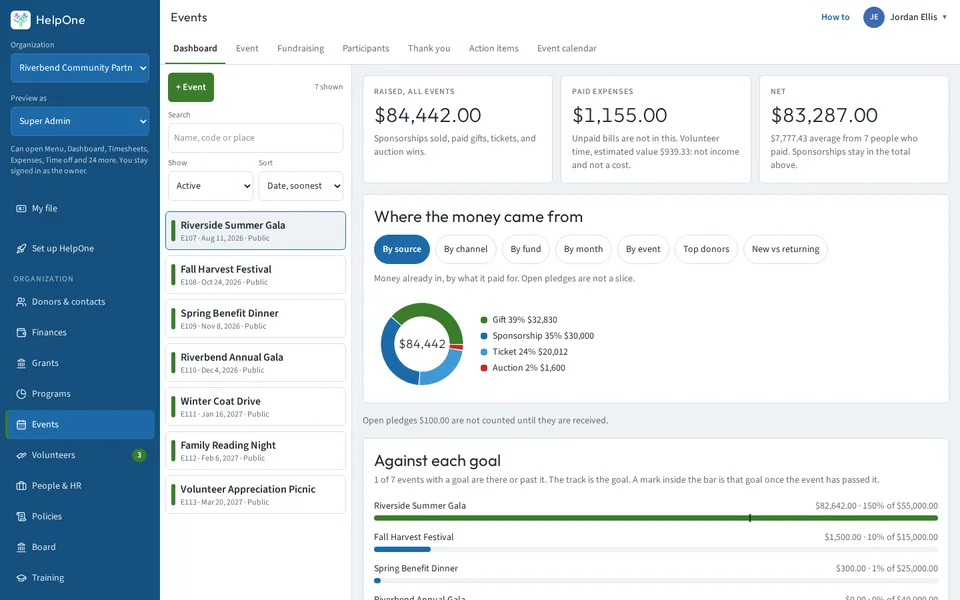
- Every ticket, gift and auction win lands in the person's giving history.
- Event P&L counts volunteer time as estimated value, not a cost.
Fundraising & finances
“Year-end reports mean a week of digging through spreadsheets.”
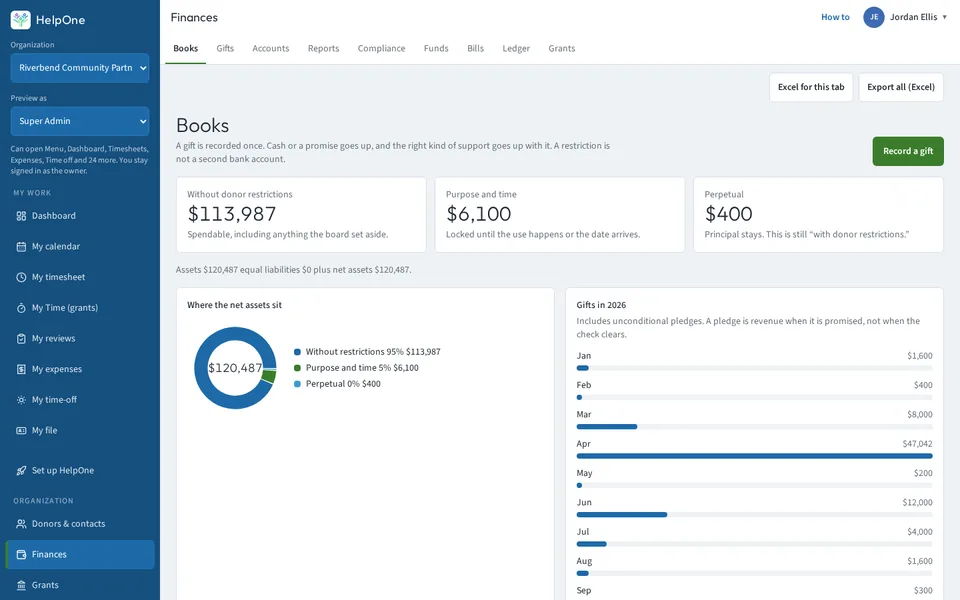
- Gifts, pledges, auctions and sponsorships in one place. Company sponsors credit the company.
- GAAP-ready statements under ASC 958, plus reports for gifts with benefits, Schedule B, Schedule G Part II, fund balances, deposits and giving statements.
- Export any area to Excel, or export everything at once.
- Filing deadlines are tagged Overdue or Due in N days.
Grants
“The grant report is due and the timesheets aren't signed.”
- Weekly grant timesheets, signed by the employee and approved by the supervisor.
- The supervisor gets an email when a sheet is signed.
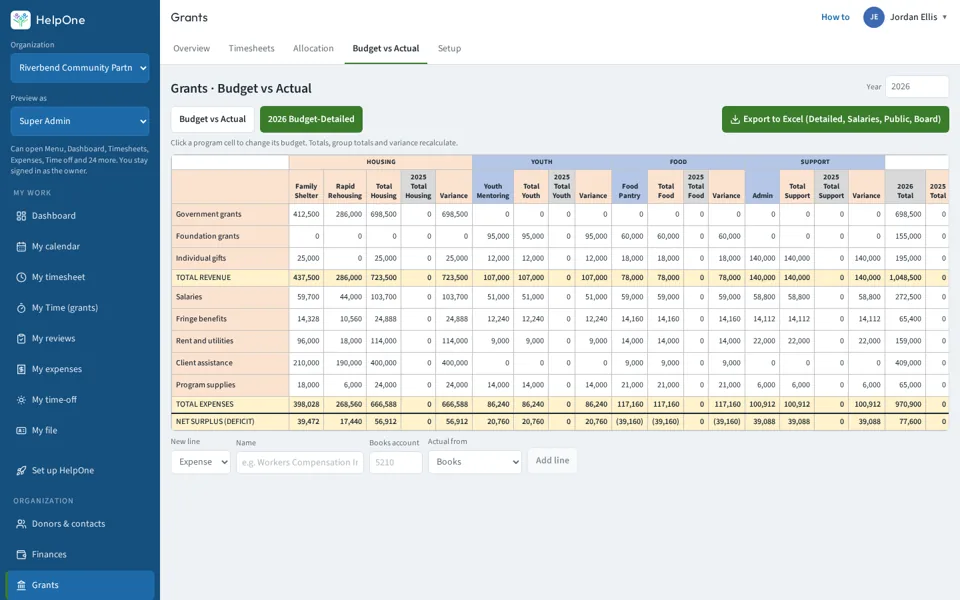
- Budget vs actual and staff allocation in grids you can export to Excel.
- The functional export splits salaries by allocation.
Board
“Board packets go out by email, and nobody can find last month's vote.”
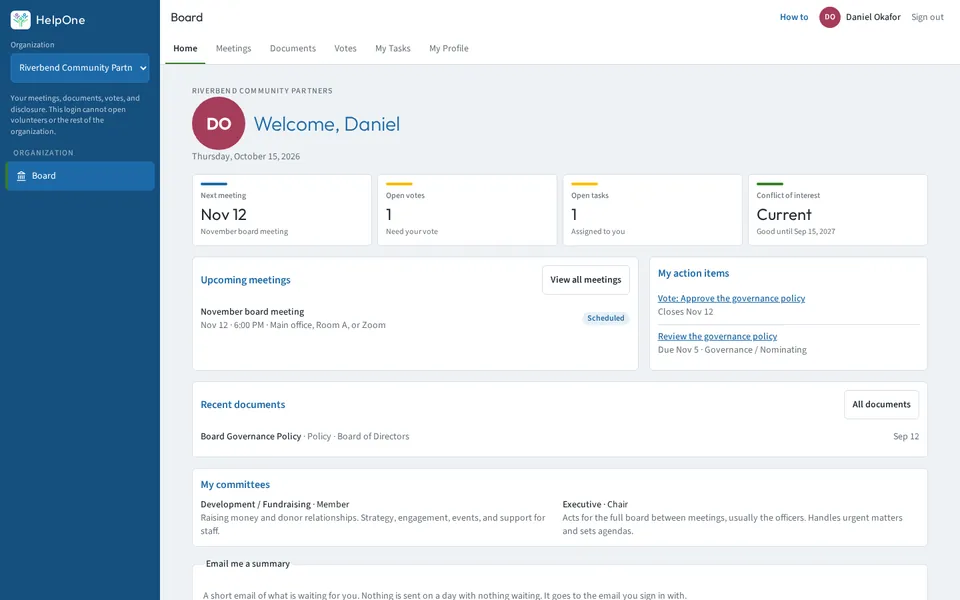
- A board portal with meetings, documents, votes, tasks and each member's profile.
- Each member sees only their own committees' items and tasks.
- One-time votes with comments, and a 3-step conflict-of-interest form.
- Terms, a skills matrix, and tasks with steps and signed updates.
IT & software
“Nobody knows which laptops we own or when the subscriptions renew.”
- Track equipment and who has it, with its condition recorded when it's handed out.
- Track software subscriptions with their monthly or yearly cost and the seats handed out.
- Renewal reminders by email.
- Purchase orders with the order attached.
Access & settings
“Either everyone sees everything, or nobody can find anything.”
- Groups and privileges, plus “Who has this” to see who holds each one.
- “Preview as” shows the app the way any group sees it. “Hide in menu” tidies a menu without taking access away.
- A view-only accountant login that sees Finances and nothing else.
- Edit every dropdown list in one place.
- A Set up HelpOne checklist: billing, access, connections, import, staff, finances and logo.
Connections
“Background checks, email lists, texts and payments each need their own login.”
- Checkr background checks for employees, candidates and volunteers. You sign up with Checkr and pay Checkr directly.
- Check completion and re-check dates feed the calendar.
- Mailchimp: your HelpOne groups sync as tags.
- Texts for shift reminders and notices, with consent, STOP handling and quiet hours. 1,000 texts a month included (fair use).
- Take payments through your own NMI account.
Ask HelpOne & the Daily brief
“You need one number, and it takes twenty minutes to find.”
- Ask HelpOne answers plain questions about your own organization: who's due, what's pending, upcoming shifts, top gifts.
- It's read-only, and it only sees what your login can see.
- The Daily brief puts today's to-dos on your dashboard, with an optional 7 AM email.
- One search box finds contacts, volunteers, staff, events, board members and gifts.
Photos
“A list of names, and no idea who anyone is.”
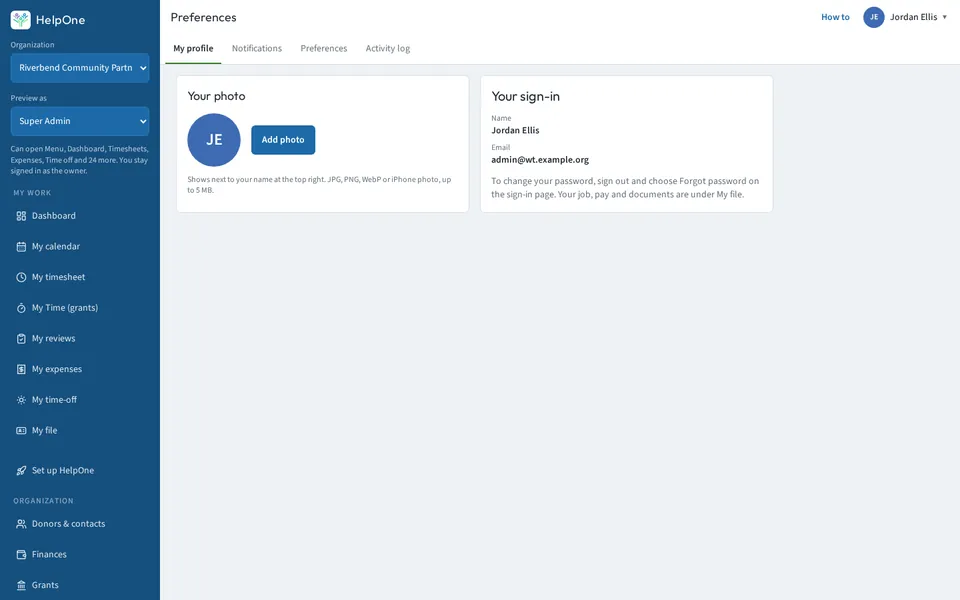
- Profile photos for staff, volunteers, board members and contacts, with crop.
- One photo is shared across all of a person's records.
- Photos show in lists, schedules and approvals.
Help center
“You're stuck, and nobody's around to ask.”
- A “?” on every module opens its help article.
- Search the help center, with popular articles up front.
- Help links in the user menu, the portals and every email.
- Email support from our team: hello@helponesoftware.com.
A page for each module
More detail, more screenshots. All of it is in the one plan.
- Volunteer ManagementSign-ups, shifts, check-in and approved hours.→
- Event ManagementRSVPs, tickets, schedules and event P&L.→
- FundraisingGifts, pledges, auctions and sponsorships.→
- Donors & ContactsOne record per person, with giving and follow-ups.→
- ParticipantsThe people you serve, in one list.→
- FinancesGAAP-ready statements, fund balances, Schedule B and year-end reports.→
- HR SolutionsOnboarding, e-sign, reviews and time off.→
- Policies & ProceduresPolicy books, approvals and signed copies.→
- Training TrackingWho has finished which training, and who is due.→
- Board ManagementMeetings, votes, documents and conflict-of-interest forms.→
- IT & OperationsEquipment, software, purchase orders and grant budgets.→
- My HelpOneEach person's own timesheets, expenses and calendar.→
All of it for $299 a month.
Or $2,990 a year, two months free. Choose yearly at checkout or when your trial ends.
- No contracts. Cancel anytime in two clicks, and take your data with you.
- 14-day free trial. No card. When it ends, everything is saved and read-only until you choose a plan.